

Sports fans have a striking array of events to bet on and multiple betting markets to explore.
While creating an account is a cakewalk, as we've discovered, some users still have trouble logging in to their Easybet account. Refer to our guide for seamless access to the platform.
| Method | Description | Link |
|---|---|---|
| Mobile app | Tailored to Android, iOS and Huawei devices, including the older models | Download Easybet App |
| Website | Basic option for stable access through desktop and mobile browsers | Easybet Website Login |
| Mobile Site | Effortless access to the platform with minimum data consumption | Easybet Mobile Site Sign-in |
Easybet Login Requirements
It is essential for South African residents who log in to Easybet to consider the following important conditions:
- Use a valid mobile number or email. Ensure you use a valid mobile number or email to access the platform. Using another person’s phone number or one that is not registered with the operator is not allowed.
- Fully updated software. A browser or a mobile device updated to the latest version is required for error-free access to Easybet.
- Strong and safe Internet connection. We recommend signing in to your Easybet account through a safe and stable network, preferably not a public Wi-Fi.
How to Sign In to the Easybet Website
Easybet South Africa has simplified the login process to ensure users acquire accounts and dive into action in no time. Signing up is fast if you have access to a stable Wi-Fi or mobile internet connection.
What’s more, accessing the platform is easy as it is adapted for different devices, including mobile gadgets and PCs.
Here’s a general step-by-step guide on how to log in to your account in the Easybet web or desktop version:
- Step 1. Go to the official site. Use our dedicated link to access the official Easybet website on your mobile or desktop browser.
- Step 2. Find the “Login” button. Look for the Login button in the top right corner of your screen and click on it to open a sign-in form.
- Step 3. Provide the required data. Fill out the form with all required details, such as email/phone number or password, and click the “Log In.”
- Step 4. Access your account. Once logged in, proceed to make your first deposit and enjoy bets on your favourite matches.
Providing real data during registration is so vital because you’ll have to prove it before making your initial withdrawal.
Mobile App Login
There’s no difference between using the mobile platform and the desktop site to sign in, except that you need to download and install the app.
The operator offers a mobile app for both Android and iOS devices, allowing them to bet on the go. You can download the apps from the official site and have fun.
| Parameter | Technical requirements |
|---|---|
| Compatible operating systems | Android 5.0 or higher, HarmonyOS 4.2/4.3 and iOS 15.0 or later |
| System memory | At least 1GB RAM required |
| Free device storage | 25 MB for iPhones/iPads, 50+ MB for Android devices, 66 MB for Huawei phones |
| Network connectivity | Needs stable internet for full app functionality |
Here’s how to log in to the Easybet mobile application:
Go to the official website of Easybet. Open it using a mobile browser. Ensure the browser is updated to the latest version for a smooth process.
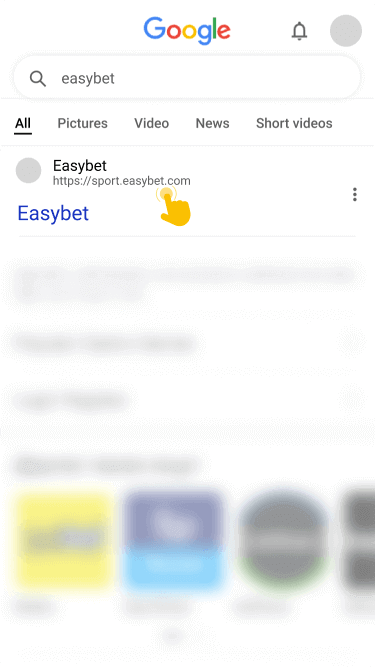
Go to the “Download App” section and open the link to the installation file for your device (Android or iOS). After that, download it.

Finally, install the application. If you have an Android device, go to settings and allow installations from unknown sources before proceeding to this step.
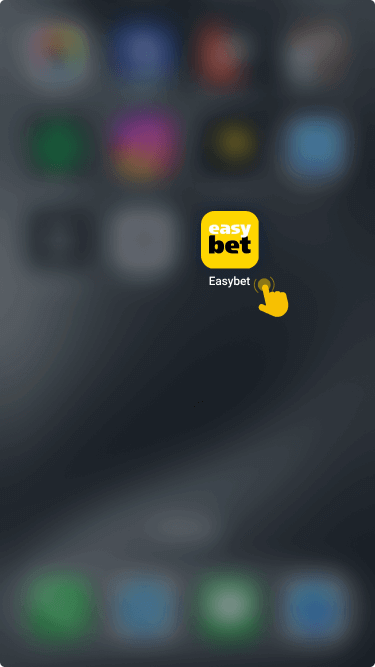
Locate the Easybet application on your device's homescreen, open it, and log in to your account with the credentials you used during sign-up.
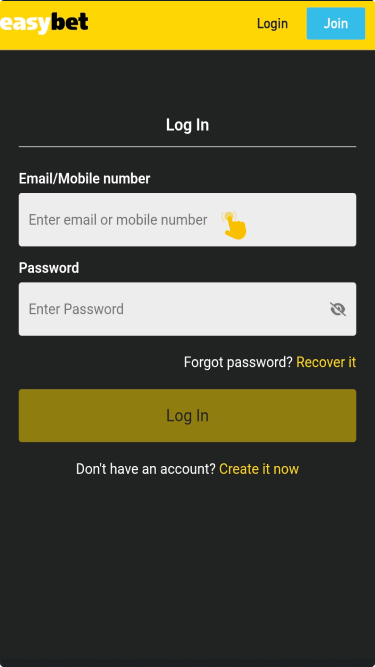
If you don’t prefer installing the app on your phone or tablet, you can use your mobile browser to access Easybet. It supports a wide range of mobile browsers, including Chrome, Opera Mini, Safari, etc.

